This guide was made by AI
How to connect to SFTP on Pylon Hosting
This guide will teach you how to connect to SFTP and the steps needed.
On this page
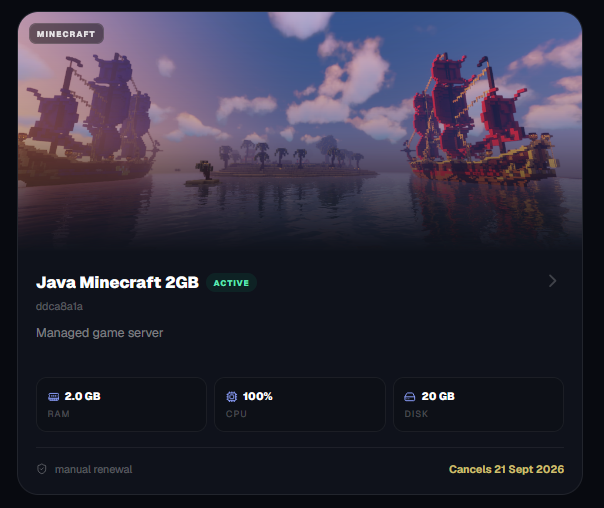
Click the server you own.
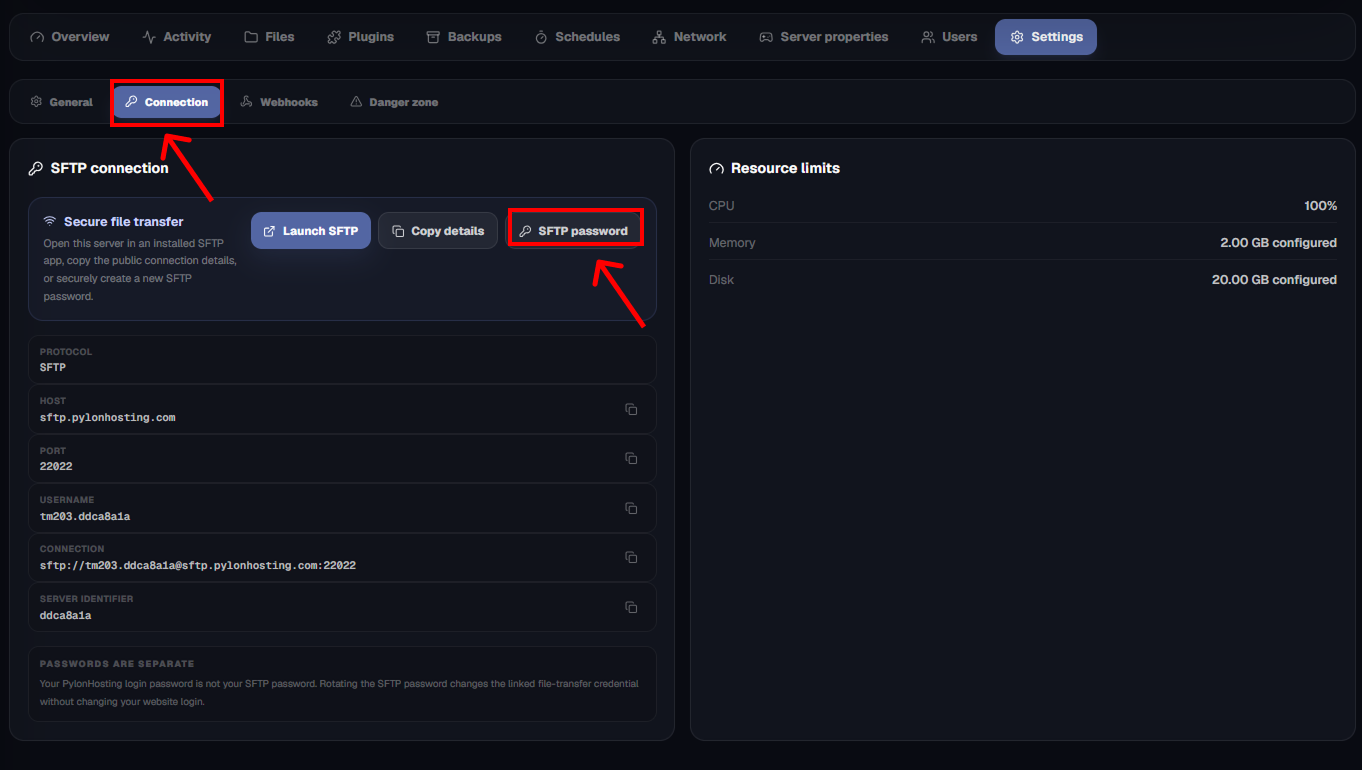
Now, when you are in the server, click the settings option.

Then click the connection tab and the SFTP password tab
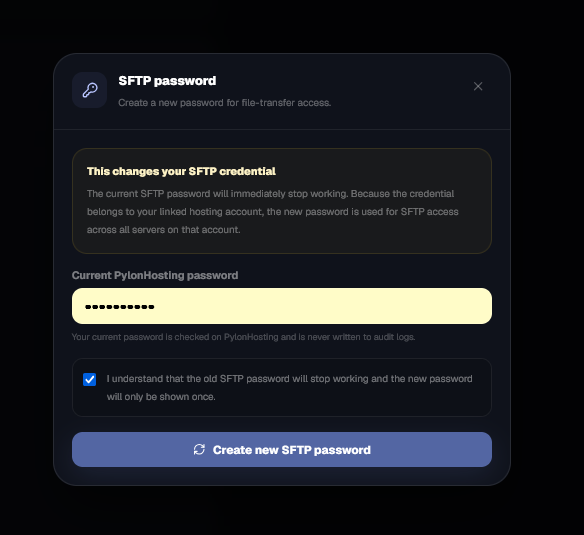
Reset your SFTP password.
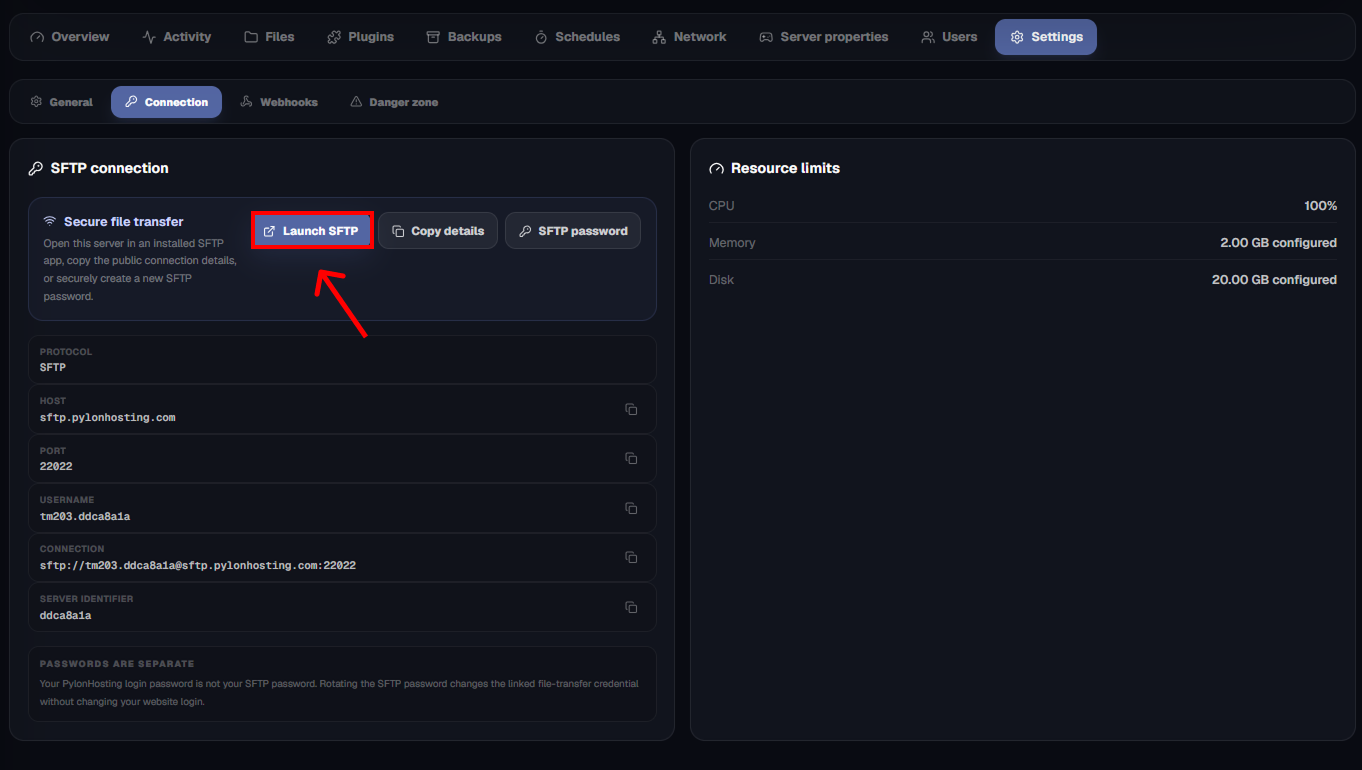
Click lunch and sulect your sftp client
In this tutorial, we are using FileZilla client; you can also use WINSCP
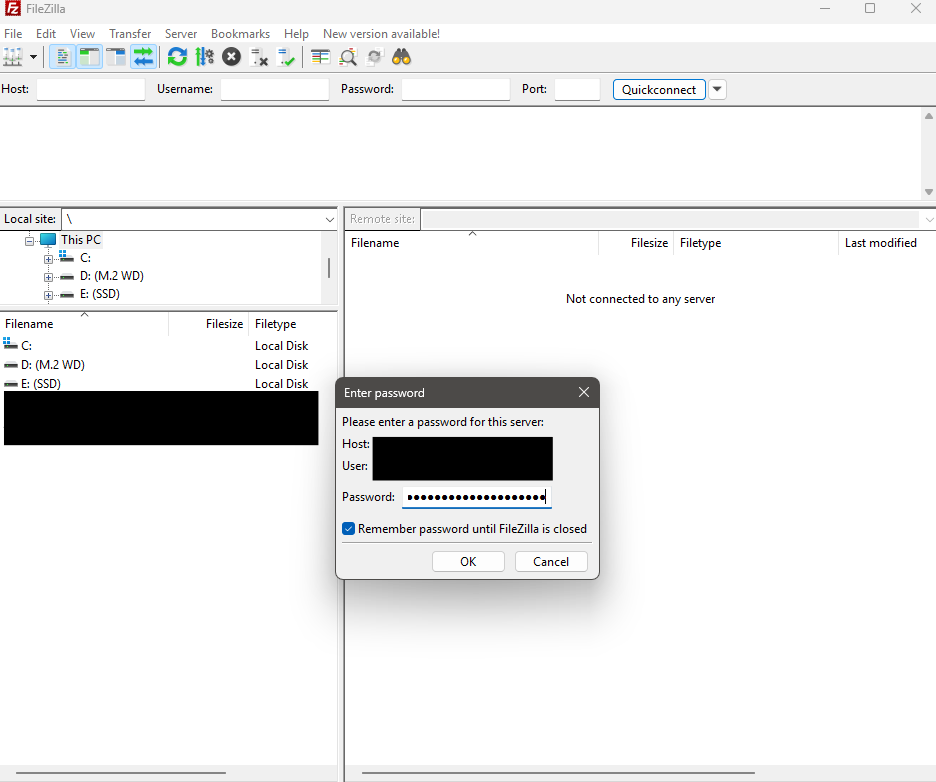
Paste SFTP password, then click okay.
Zip for large transfers and drag and drop your files.
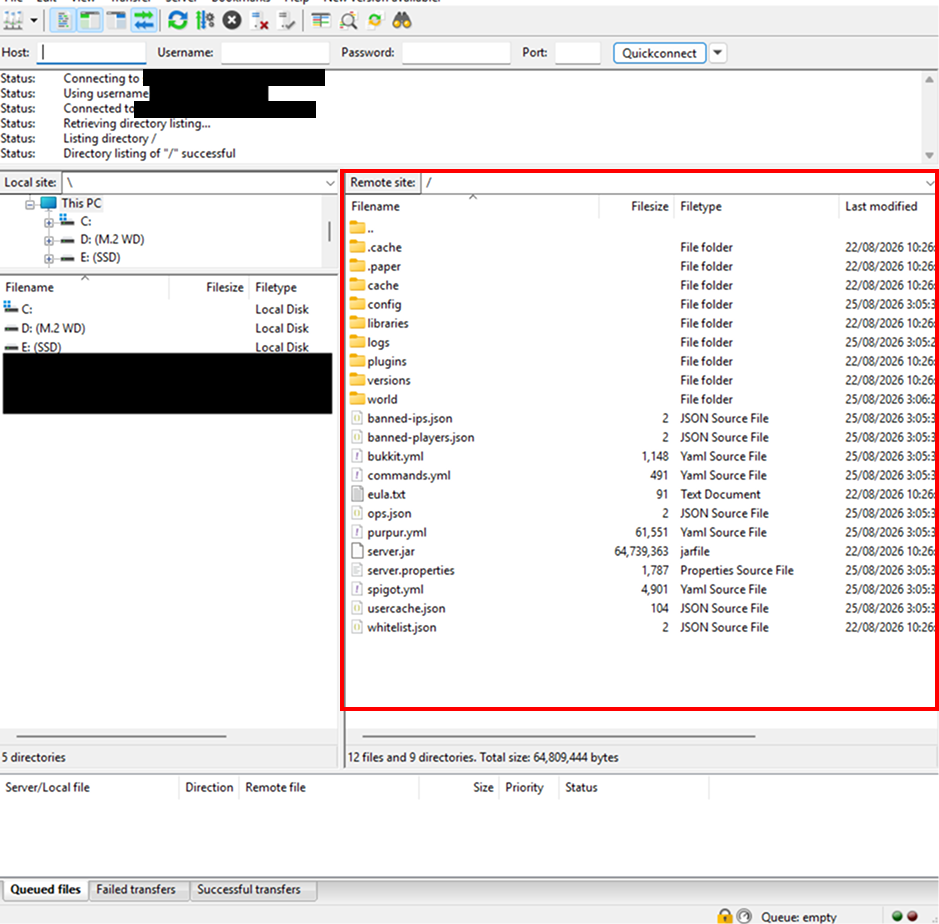
You can drag and drop files into the selected SFTP server. Zip files will transfer a lot faster. To unzip, do it on the server panel under File Manager and press Refresh.
The red box is the server's directory; the one on the left is your computer's directory.
Ever wondered how much storage 1 million chunks will use in a Minecraft server? I tested this on a Paper Minecraft server with 8 GB of RAM.

After you buy a server, wait until setup finishes, then start it from Overview.

Make a restore point before updates, plugin changes, software switches or wipes.
Match the error, then ask if you still need help
Most console and join issues are already in the guides. Copy the ERRORS line first. Open a ticket only if the steps still fail.