This guide was made by AI
Create a backup
Make a restore point before updates, plugin changes, software switches or wipes.

On this page
Open the Backups tab and create a restore point before risky changes. Numbered yellow markers show the buttons to click.
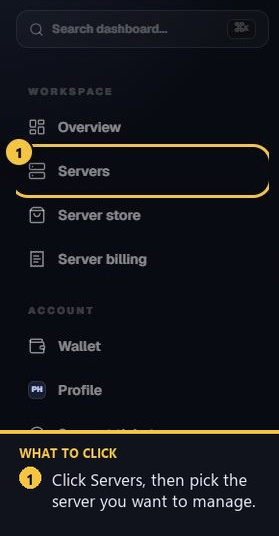
1. Open your server
From the dashboard sidebar, open Servers and select the server.
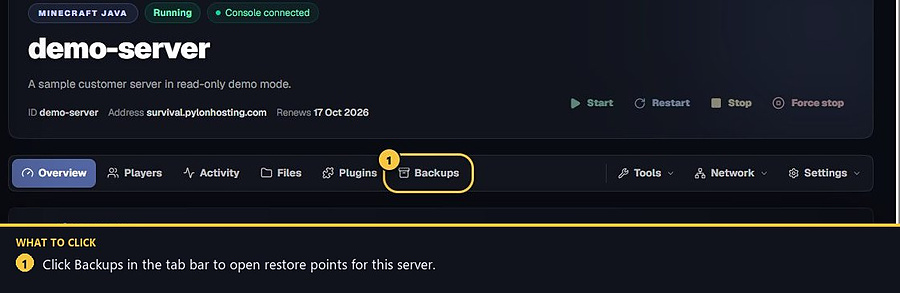
2. Open the Backups tab
On the server page, click Backups in the tab bar.
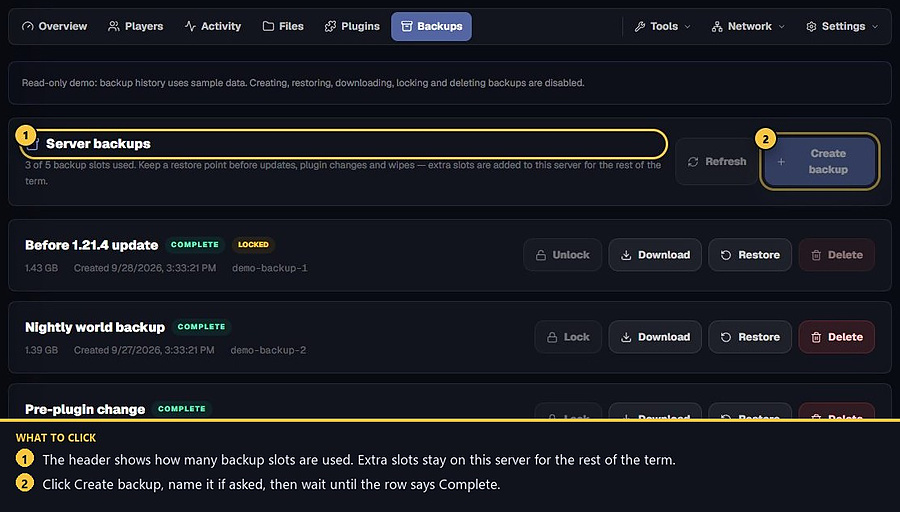
3. Press Create backup
Click Create backup. Give it a name if asked. Wait until the row says Complete before you rely on it. Avoid starting another backup while one is already being created.
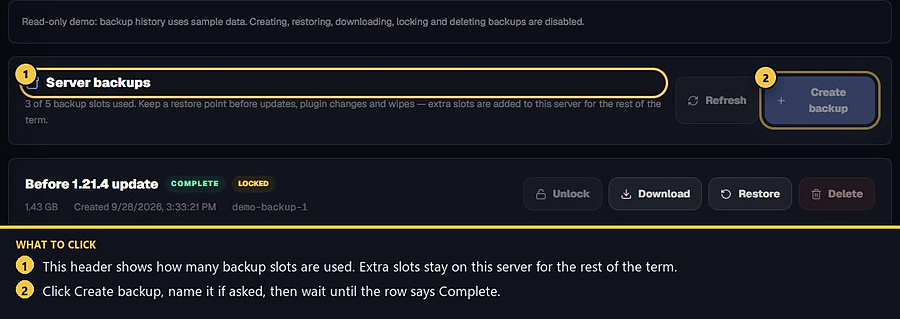
4. Check your backup slots
Each profile has its own copy of the plan’s backup slots. A plan with 1 slot still has 1 backup on a server with one profile. A second profile gets its own slot, so one profile cannot use up the backup that belongs to another. Restore a profile backup only while that profile is live. Extra slots can still be added on a live server for the rest of the term.
- 1Open the server
Choose it from Servers.
- 2Open Backups
Use the Backups tab.
- 3Create backup
Press Create backup and wait until it is complete.
Match the error, then ask if you still need help
Most console and join issues are already in the guides. Copy the ERRORS line first. Open a ticket only if the steps still fail.