This guide was made by AI
First start your server
After you buy a server, wait until setup finishes, then start it from Overview.

On this page
Numbered yellow markers in the pictures show what to click. After checkout, wait until setup finishes, then start the server from Overview.
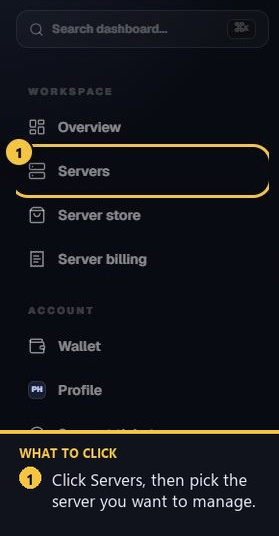
1. Open Servers
Sign in, then in the left sidebar open Servers and select the server you want to manage.
2. Wait for setup, then open Overview
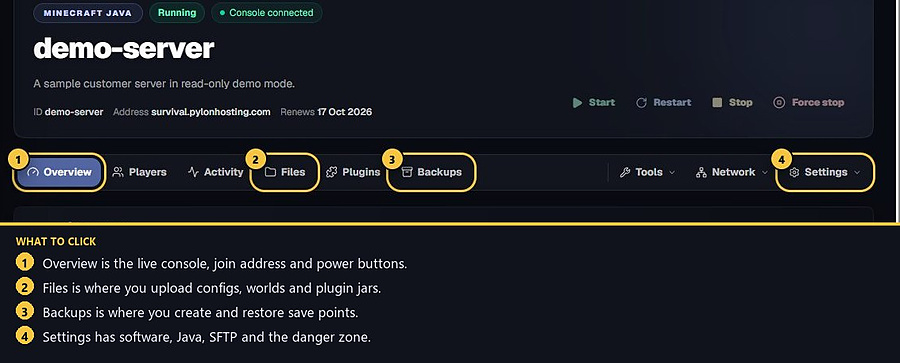
Setup keeps running if you leave the page. Come back from Servers when it is ready. Overview shows live resources and the console.
3. Accept the Minecraft EULA if it appears
Mojang requires this before the server can run. Accept it once from the banner or modal on your server page.
4. Copy the join address
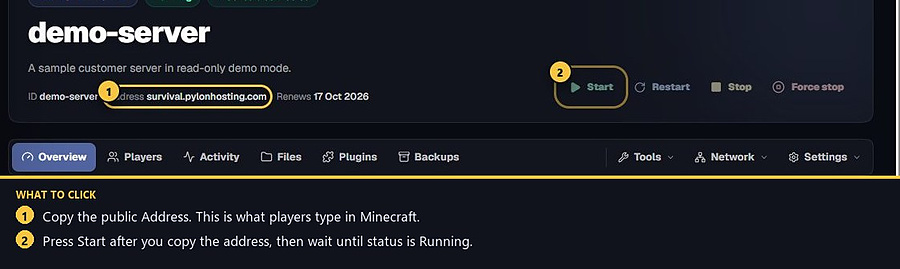
Use the public Address on Overview, or the Game address on Network → Addresses. The first time it is ready, a small tip card also lets you copy it.
5. Press Start
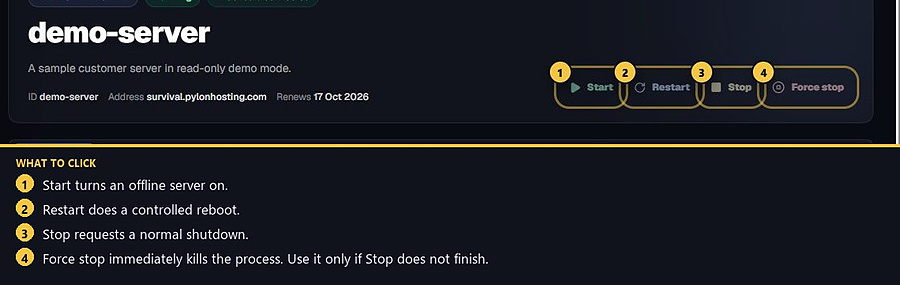
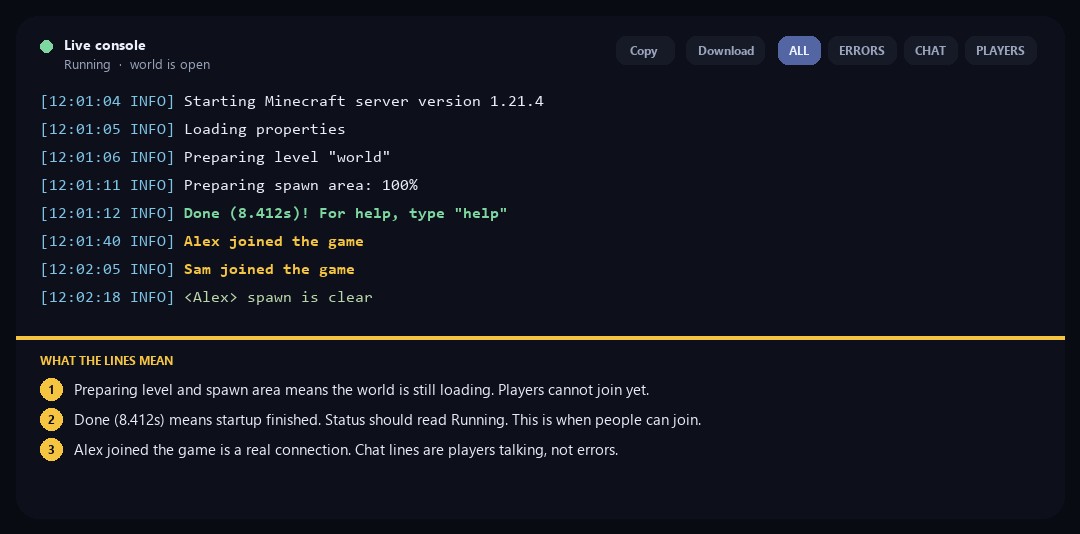
Use the power controls at the top of the server page. Start turns an offline server on. Wait until status is Running and the console prints Done. Until that line, the world is still loading and players cannot join.
- 1Open Servers
Pick the server from the dashboard sidebar.
- 2Open Overview
Wait until setup finishes, then open the server.
- 3Accept the EULA
Accept the Minecraft EULA if the banner appears.
- 4Copy the address
Copy the public join address from Overview.
- 5Press Start
Start the server and wait until it is running.
Match the error, then ask if you still need help
Most console and join issues are already in the guides. Copy the ERRORS line first. Open a ticket only if the steps still fail.