This guide was made by AI
Install a Minecraft modpack
Open Modpacks, pick a version, then create a profile or replace the active one. Pylon stops the server, backs up, and installs the pack onto that profile.

On this page
The Modpacks tab only appears on modded loaders. A Paper, Spigot or Purpur server shows Plugins instead. Installing a pack is destructive: Pylon stops the server, saves a backup, deletes the old files, then installs onto a clean server.
1. Switch to Forge, Fabric, NeoForge or Quilt
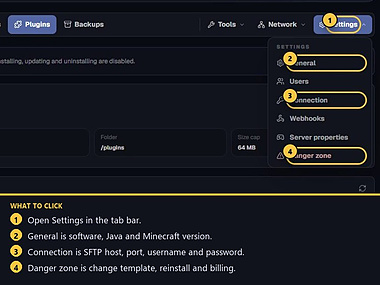
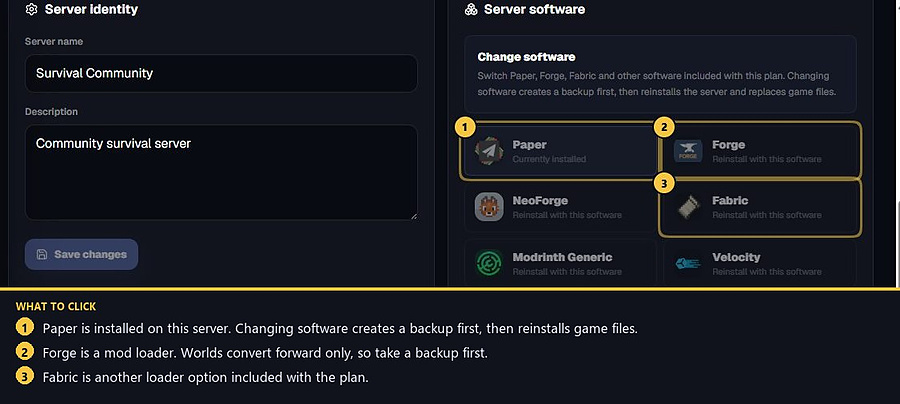
Open Settings → General. Under Server software, pick Forge, Fabric, NeoForge or Quilt as included with the plan. Changing software creates a backup first, then reinstalls and replaces game files. Worlds convert forward only.
If you only needed plugins on Paper, use the Plugins tab instead of a modpack.
2. Make your own backup if the world matters
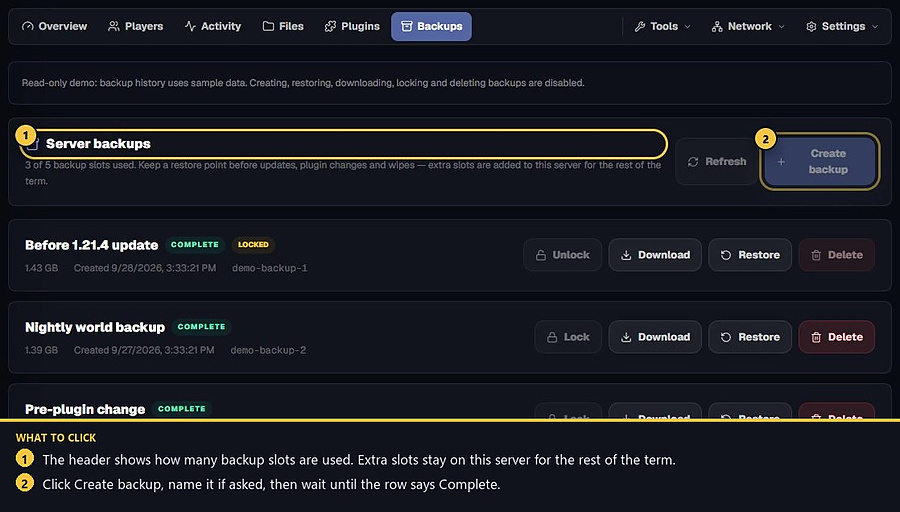
Software change already creates a backup. Make another restore point from Backups if you want a named copy of the current world. Wait until the row says Complete. Installing a pack deletes old files and folders after that backup step.
3. Open Modpacks and pick a version
After the loader is Forge, Fabric, NeoForge or Quilt, open the Modpacks tab. Search Modrinth or CurseForge, pick a pack version that matches that loader and a Minecraft version you can run, then continue. You will see live progress while the job runs. There is a limit on how many pack installs you can start per hour.
4. Create a profile or replace the active one
Choose Create profile to keep the current world as its own profile, or Full install to replace only the live profile. Pylon stops the server first, saves a backup, then installs the pack onto that profile. Other saved profiles stay where they are. The finished progress bar stays on this visit only. Opening Modpacks later does not replay an old finished install. Do not close the page to “speed it up”. When it finishes, start the server and wait until the console is done. Players need the matching client modpack. Read how profiles work before you switch away from the new pack.
5. If the install fails
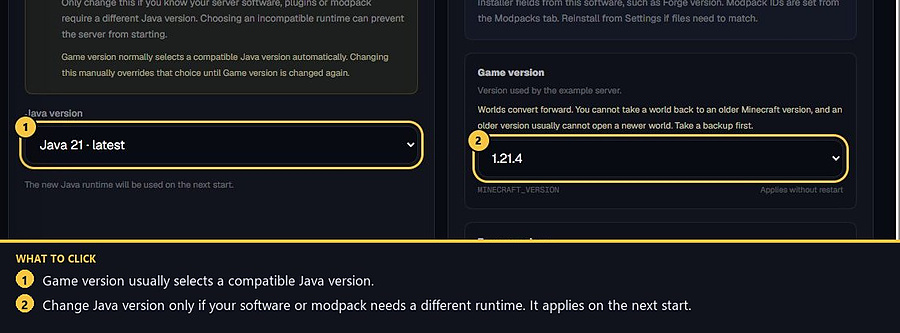
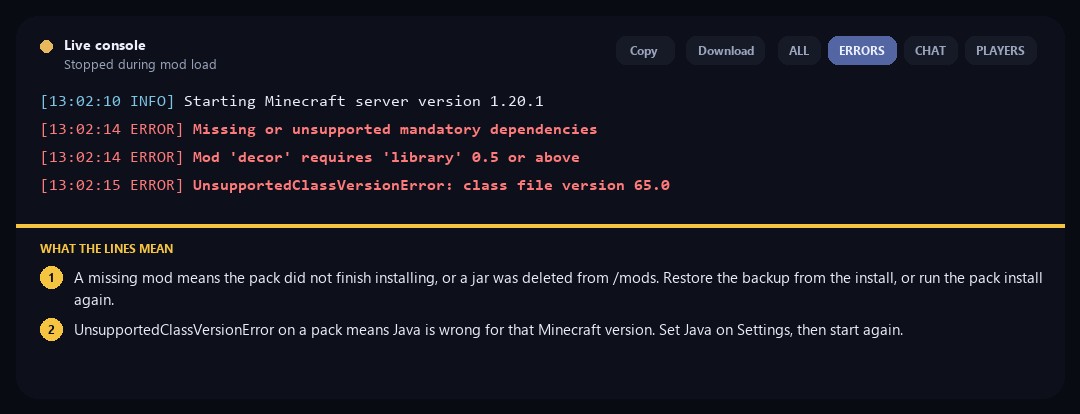
Read the job message on Modpacks, then the Overview console. Missing or unsupported mandatory dependencies means a mod the pack needs is not in /mods — restore the backup from the install, or run the install again. UnsupportedClassVersionError means Java is wrong for that Minecraft version. Set it on Settings → General, then start again. If the pack needs extra RAM, upgrade from billing rather than forcing another wipe.
- 1Switch loader
Settings → General → Forge, Fabric, NeoForge or Quilt.
- 2Back up
Wait until a backup is Complete if the current files matter.
- 3Install the pack
Modpacks tab, pick a version, then create a profile or replace the active one.
Match the error, then ask if you still need help
Most console and join issues are already in the guides. Copy the ERRORS line first. Open a ticket only if the steps still fail.