This guide was made by AI
Set up Simple Voice Chat
Install the matching plugin or mod, allocate a UDP extra port, then put that exact port in the voice chat config. Players need the same client mod.

On this page
Simple Voice Chat needs its own public port. The Minecraft join address is not enough. Numbered yellow markers show what to click in the panel.
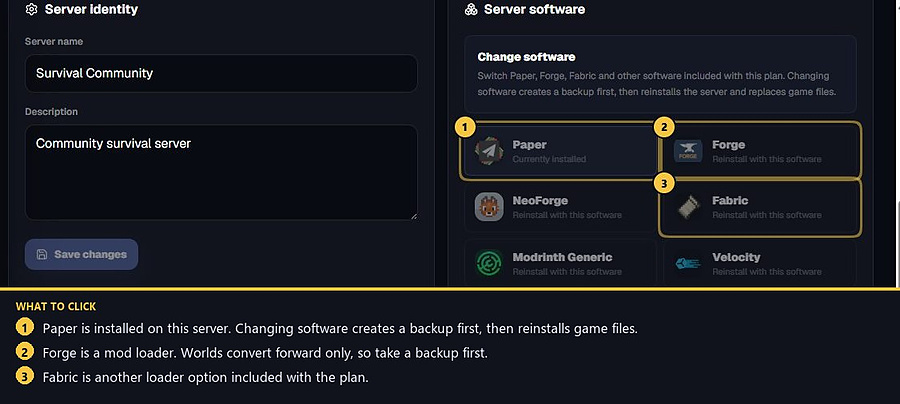
1. Match the server software
On Paper, Spigot or Purpur, install the plugin build. On Forge, Fabric, NeoForge or Quilt, install the mod build into /mods. The server and every player must use the same project and a version that matches your Minecraft version. A Paper plugin will not load on Forge.
2. Install Voice Chat
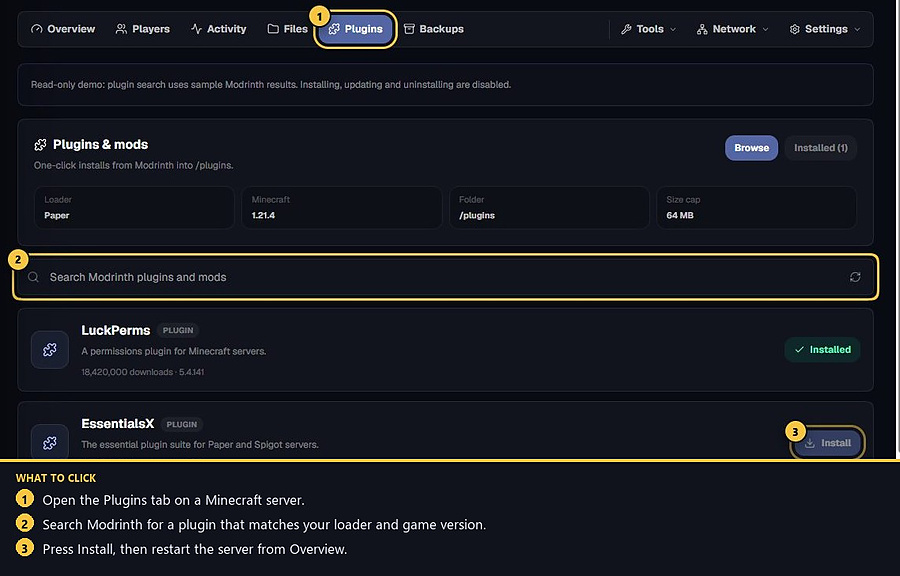
On Paper, open Plugins, search Modrinth for Simple Voice Chat, pick a version for Paper and your game version, then press Install. Restart from Overview when the jar is in /plugins.
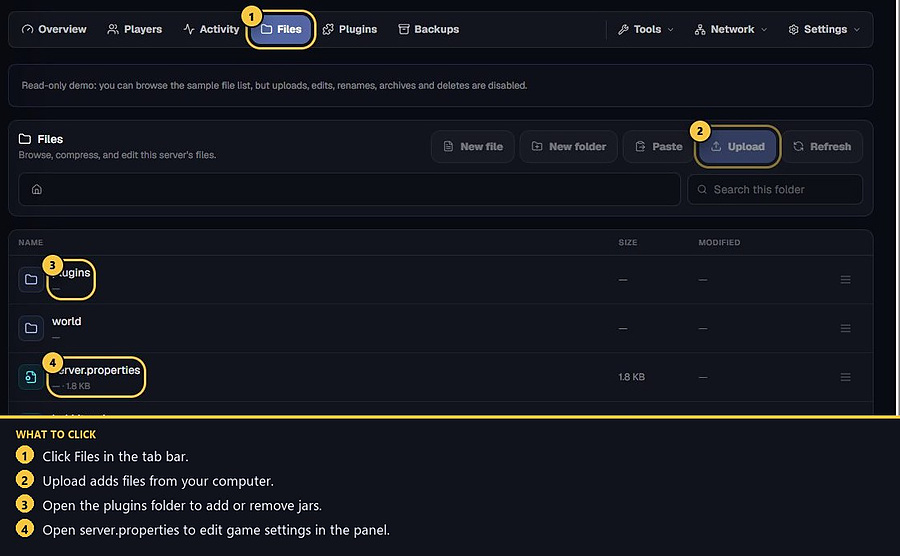
On a modded loader, put the matching jar in /mods from Files → Upload, or from the Mods/Modpacks flow your software shows. Restart and wait until the console finishes.
3. Allocate an extra port
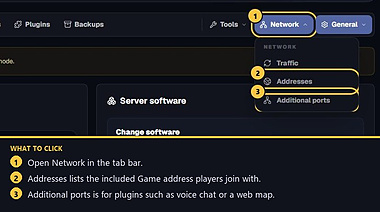
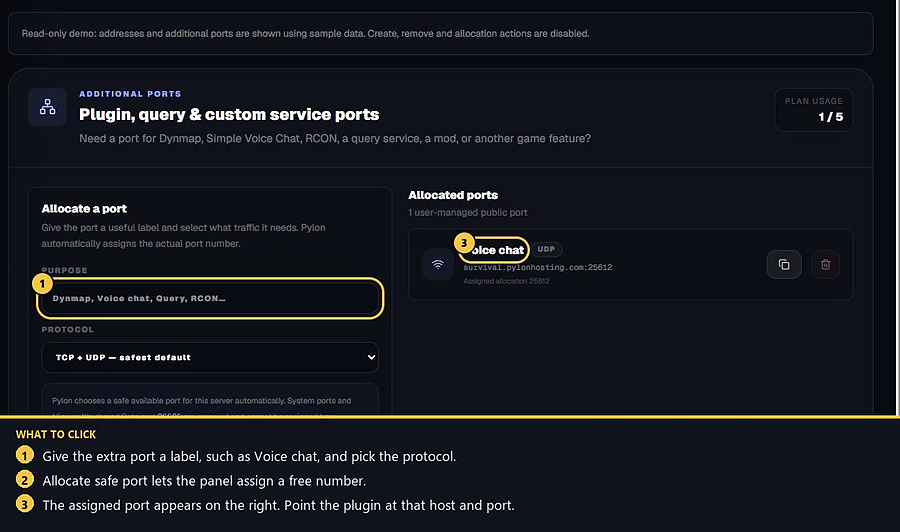
Open Network → Additional ports. Only the owner can add ports. Label it Voice chat. Protocol can stay TCP + UDP (safest default) or UDP only if you know the build only needs UDP. Press Allocate safe port. The panel assigns the number — do not invent 25565 or a port from another host.
Copy the connection address on the right, such as survival.pylonhosting.com:25612. That host and port are what the plugin must use.
4. Put that port in the config
Open Files. After the first start, Simple Voice Chat writes a config:
Plugin: plugins/voicechat/voicechat-server.properties
Mod: usually under config/voicechat on the server.
Set the voice port to the extra port the panel assigned (the number after the colon). Leave the Minecraft game port alone. Save, then restart so Voice Chat binds the new port. If the console says the port is already in use, you pointed it at the join port or another plugin’s extra port.
5. Players and troubleshooting
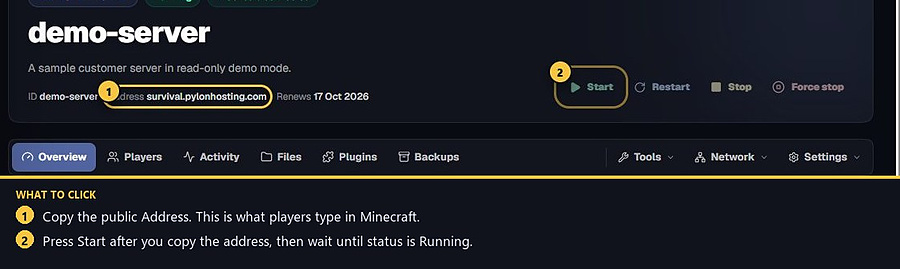
Players join with the normal Game address from Overview. Voice Chat is extra: they must install the matching client mod. If they can join the world but have no voice, they usually have the wrong client build, or the server config still has the default port.
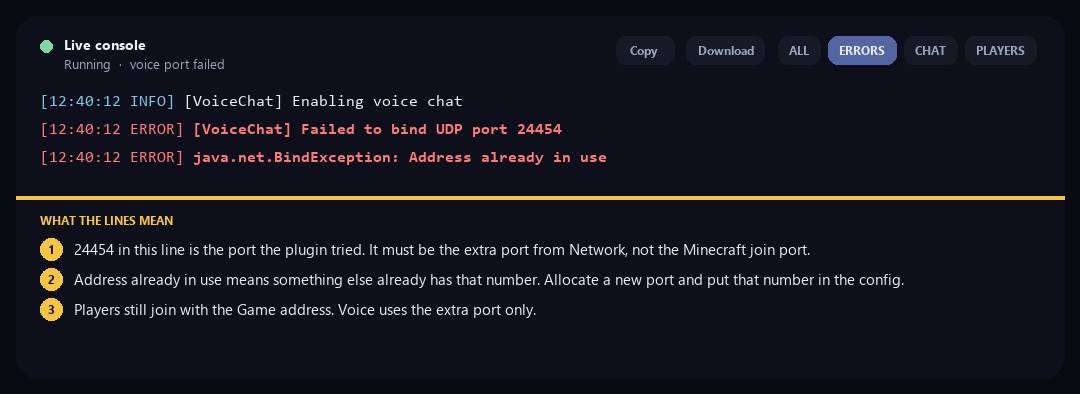
If the console says Failed to bind UDP port, the number in that line is the one that failed. It must match the extra port on Network → Additional ports, not the Minecraft join port. Address already in use means something else already has it — allocate a new port and edit the config again. Never send SFTP passwords in a ticket. Helper cannot allocate extra ports — the owner has to add the port from Network or billing if the plan is out of slots.
- 1Install the matching jar
Plugin on Paper, mod on Forge or Fabric. Restart.
- 2Allocate a Voice chat port
Network → Additional ports. Copy the assigned host:port.
- 3Edit the config
Set the voice port to that number. Players need the same client mod.
Match the error, then ask if you still need help
Most console and join issues are already in the guides. Copy the ERRORS line first. Open a ticket only if the steps still fail.