This guide was made by AI
Start, stop, restart and force stop
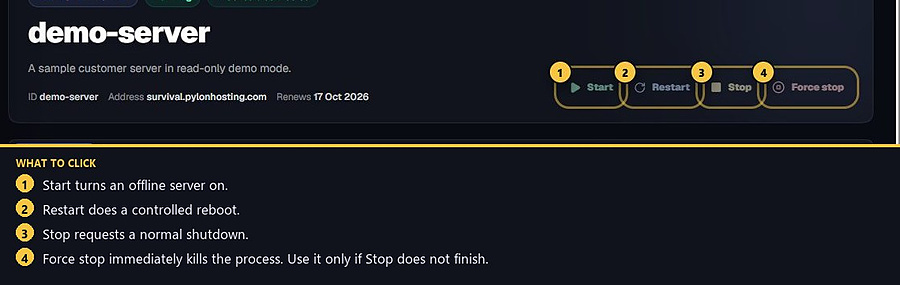
The four power buttons sit at the top of every server page.

These four buttons sit at the top of the server page, on the right of the server name.
1. Find the power controls
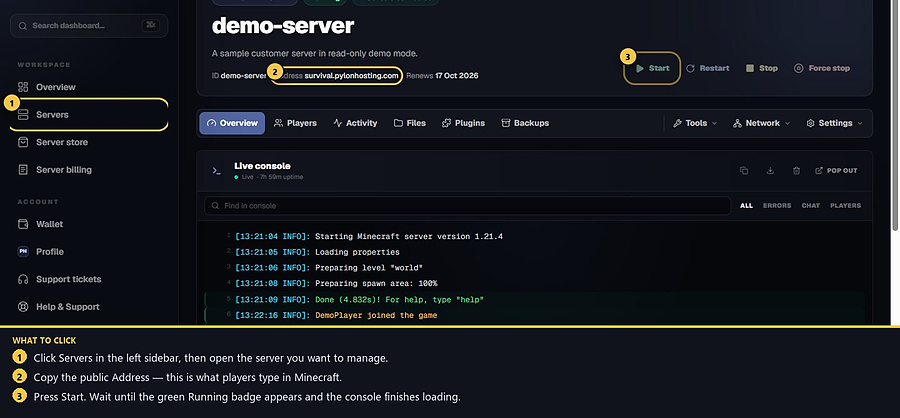
Open your server. The buttons are on the right of the server name.
2. What each button does
Start turns an offline server on.
Restart performs a controlled restart.
Stop requests a normal shutdown.
Force stop immediately ends the running process. Use it only when a normal Stop does not finish. Unsaved data can be lost.
3. Watch the console
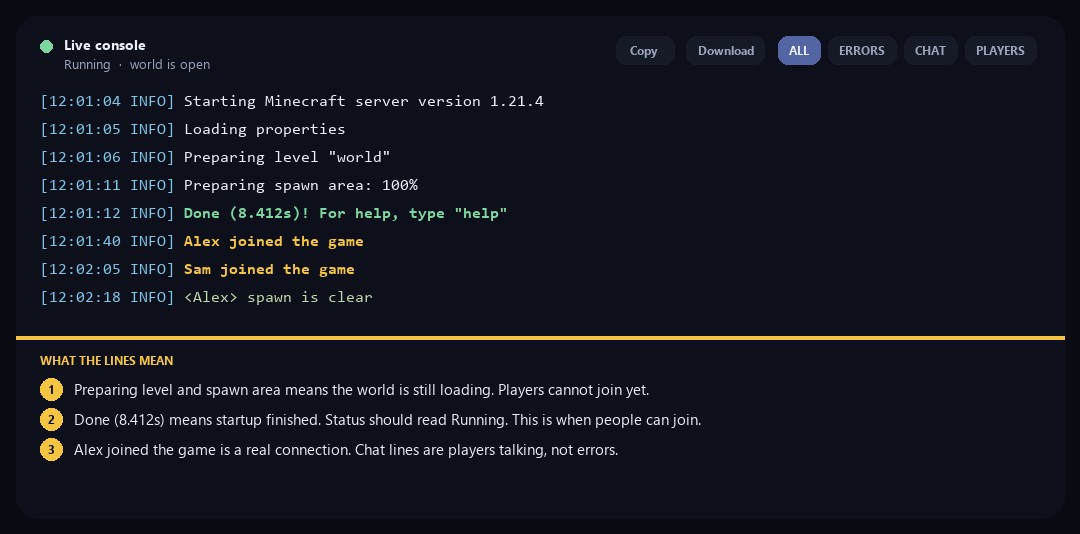
After Start or Restart, read the live console. Preparing level and Preparing spawn area mean it is still loading. Done means startup finished and people can join. A line like Alex joined the game is a successful connection, not an error. Chat in angle brackets is players talking.
- 1Find the buttons
They sit at the top of the server page.
- 2Choose Start, Restart or Stop
Use Force stop only if a normal Stop does not finish.
- 3Watch the console
Wait until the server is running.
Match the error, then ask if you still need help
Most console and join issues are already in the guides. Copy the ERRORS line first. Open a ticket only if the steps still fail.