This guide was made by AI
Server stays offline or keeps stopping
Read the console, copy errors, then check RAM, Java, plugins and the world.

On this page
An offline server may be stopped, still installing, or it may have exited because of a game or configuration error.
1. Read the live console
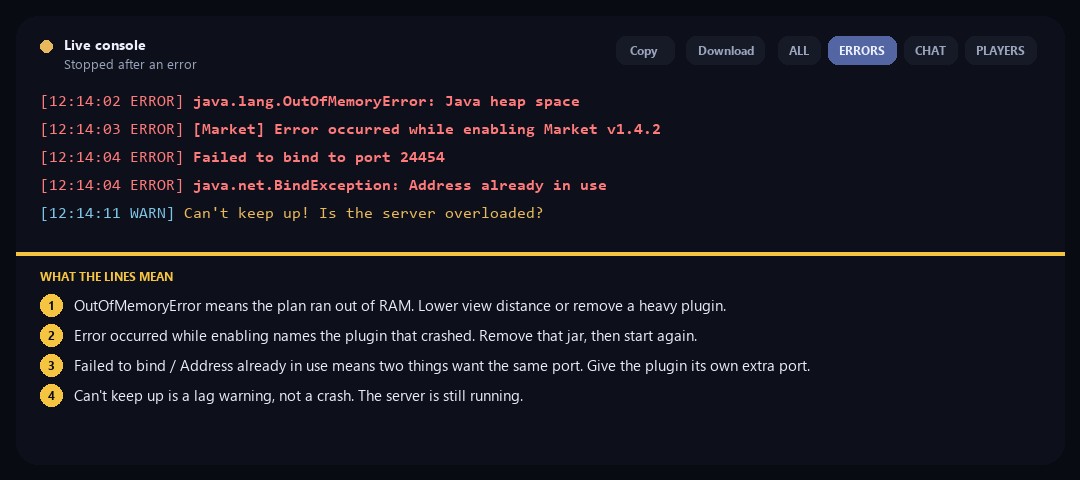
On Overview, turn on ERRORS, then read the last red lines. Copy or download that log before you press Start again.
OutOfMemoryError is RAM. Error occurred while enabling names a plugin. Failed to bind is a port clash. Failed to load world means stop restarting and restore a backup. Can't keep up is only a lag warning — the server is still running.
2. Check recent Activity
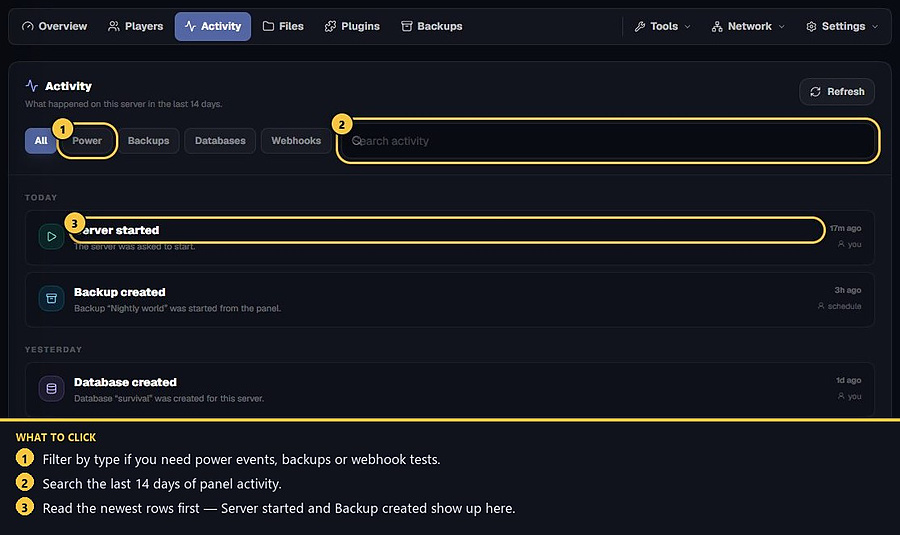
Open Activity for power, backups, databases and webhook tests from the last 14 days. Filter and search there.
3. Match the error
Open the common console errors lookup and match the line you copied. Typical causes: out of memory, a Java version mismatch, a plugin that failed while enabling, a missing jar, a bind/port clash, or a world that failed to load. Do not keep restarting until you know which one it is.
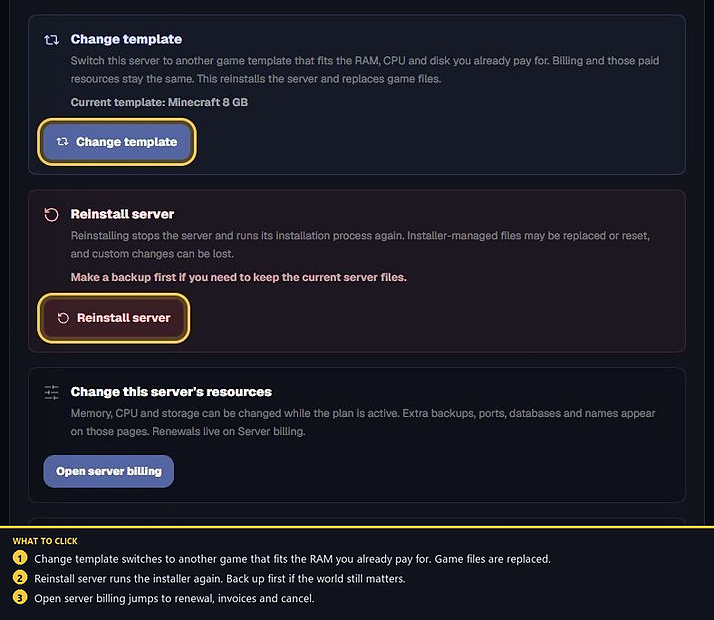
4. Reinstall only after a backup
Settings → Danger zone → Reinstall server replaces installer-managed files. Make a backup first if the world still matters.
- 1Read the console
Copy the last errors before restarting.
- 2Match the cause
RAM, Java, plugins, missing jar or a damaged world.
- 3Fix or restore
Reinstall only after a backup.
Match the error, then ask if you still need help
Most console and join issues are already in the guides. Copy the ERRORS line first. Open a ticket only if the steps still fail.