This guide was made by AI
Install plugins
Search Modrinth on the Plugins tab, or upload a jar in Files. Restart after you install.

On this page
Use versions that match your server software and game version. Restart after you install.
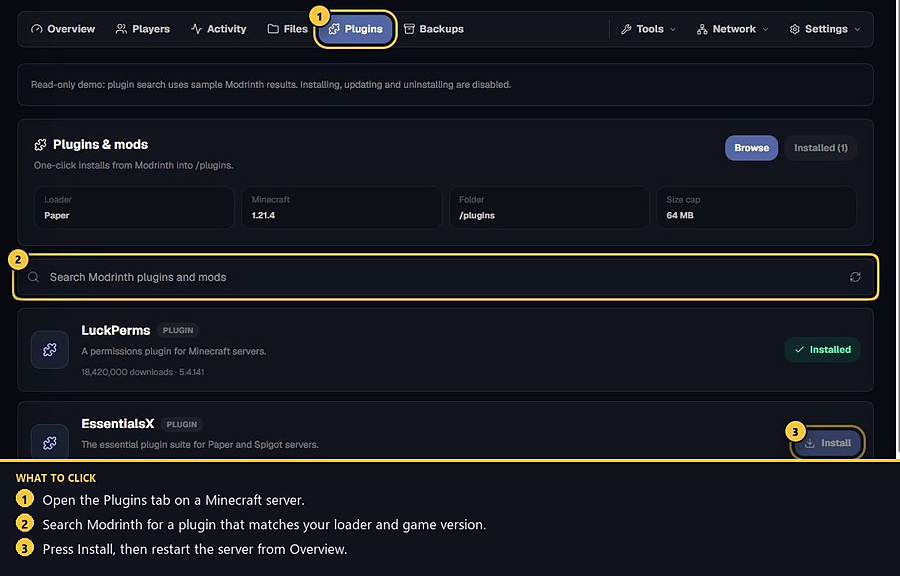
1. Open the Plugins tab
On a Minecraft server, click Plugins. This page searches Modrinth and installs into /plugins.
2. Search and install
Type the plugin name in Search Modrinth plugins and mods, pick a version that matches your loader, then press Install. Use Browse and Installed to switch lists.
3. Or upload a jar in Files
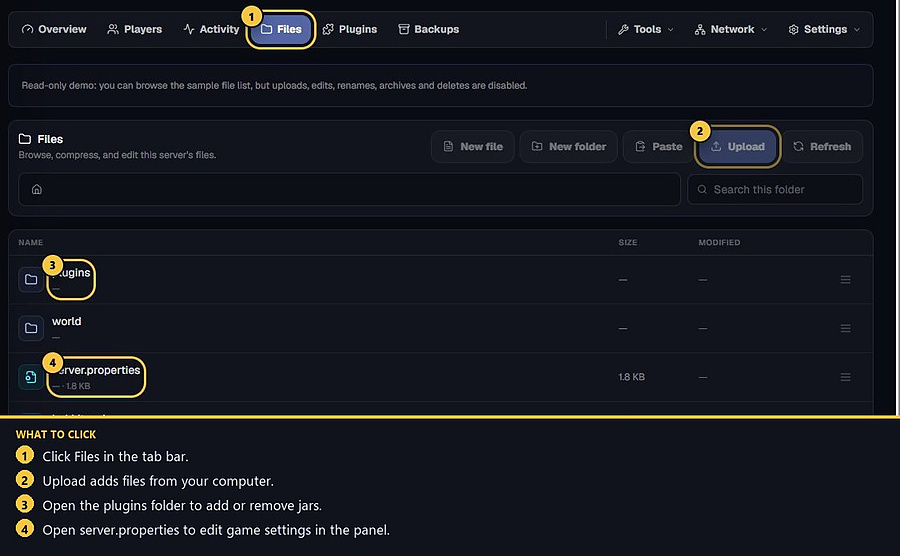
Open Files, go into the plugins folder, then press Upload and choose the jar the plugin docs name. Restart when the file is in place.
4. If a plugin crashes on enable
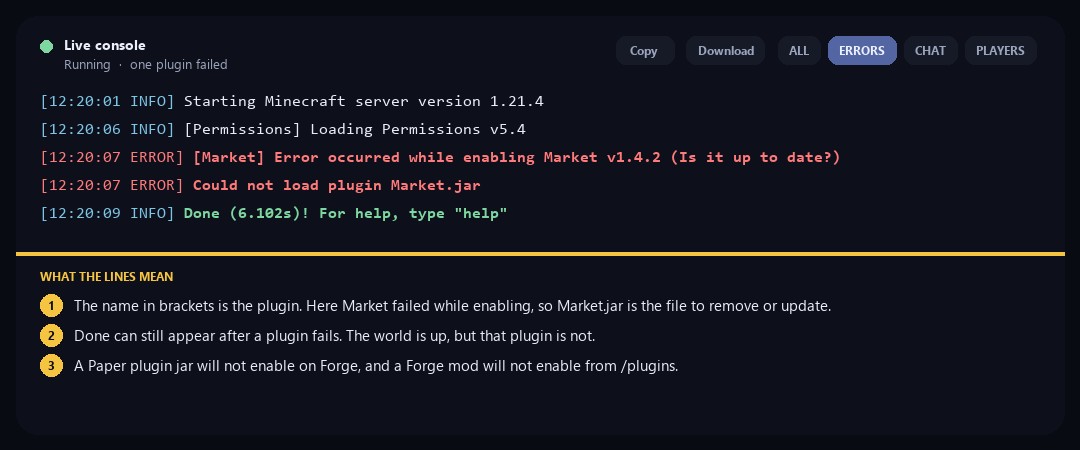
If the console says Error occurred while enabling, the name in brackets is the plugin that failed. Remove or update that jar, then start again. Done can still print after a plugin fails — the world is up, but that plugin is not. A Paper jar will not enable on Forge.
- 1Open Plugins
Search Modrinth and install a matching version.
- 2Or upload a jar
Put it in the plugins folder in Files.
- 3Restart
Remove a crashing plugin from the console errors.
Match the error, then ask if you still need help
Most console and join issues are already in the guides. Copy the ERRORS line first. Open a ticket only if the steps still fail.