This guide was made by AI
Software, game version and Java
Change Paper, Forge or Fabric, Java and Minecraft version from Settings → General. Changing software creates a backup first.

On this page
Create a backup first. Changing software reinstalls the server and replaces game files. Worlds convert forward only.
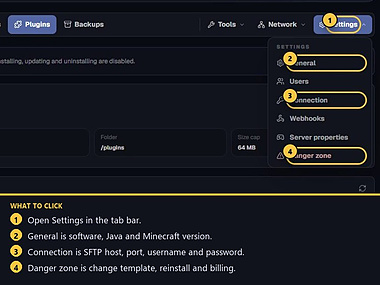
1. Open Settings → General
On the server page, click Settings, then General.
2. Change server software
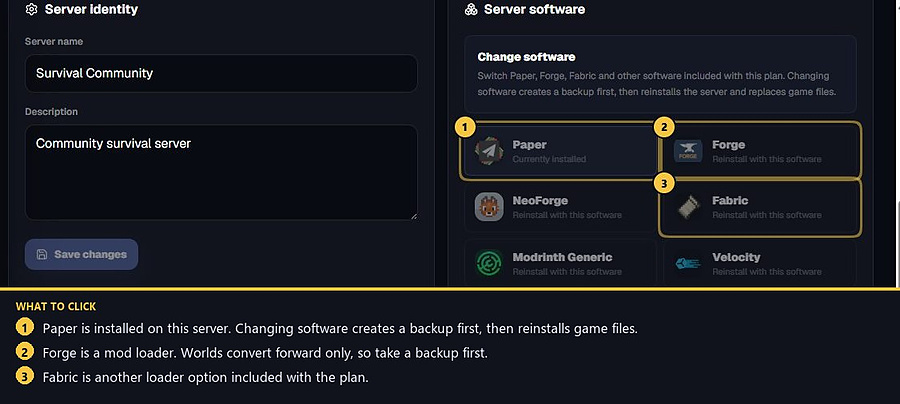
Under Server software, pick Paper, Forge, Fabric or another type included with the plan. Changing software creates a backup first, then reinstalls the server and replaces game files.
3. Set Java and game version
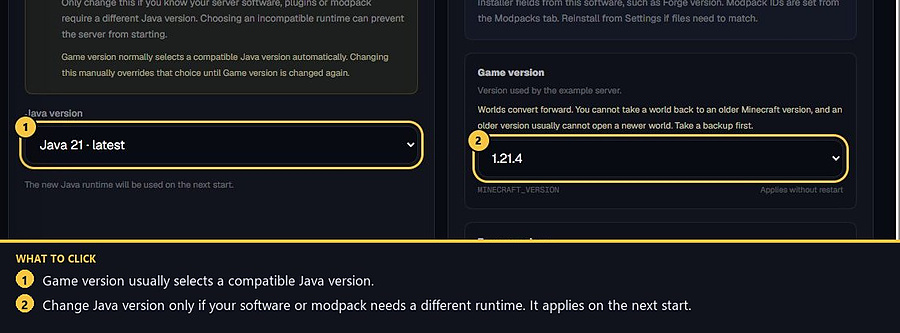
Game version normally selects a compatible Java version. Change Java version only if your software, plugins or modpack need a different runtime. The new Java is used on the next start. You cannot take a world back to an older Minecraft version.
4. Change template only from Danger zone
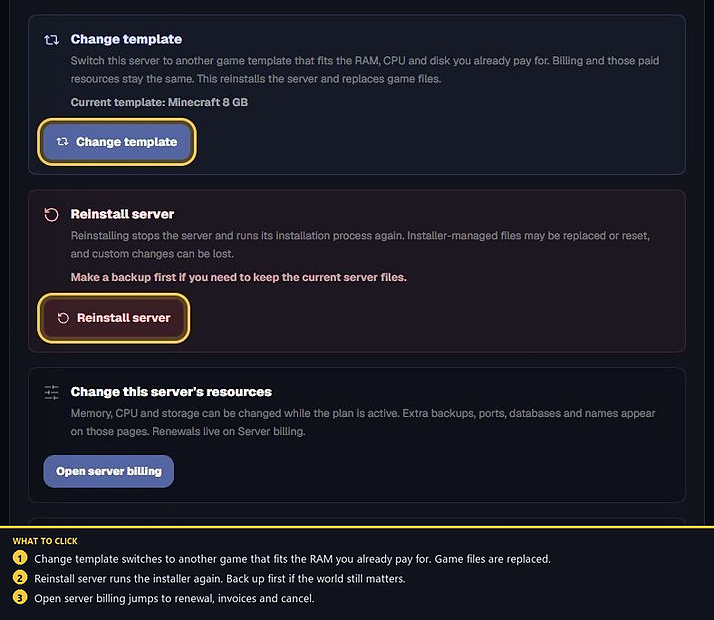
Settings → Danger zone → Change template switches to another game template that fits the RAM, CPU and disk you already pay for. Billing stays the same. Game files are replaced. Reinstall server runs the installer again. Back up first if you need the current files.
- 1Open General
Change software, Java or game version.
- 2Take a backup first
Software changes reinstall and replace game files.
Match the error, then ask if you still need help
Most console and join issues are already in the guides. Copy the ERRORS line first. Open a ticket only if the steps still fail.