This guide was made by AI
Billing, renewal and cancel
Open Server billing for renewal date, payment method, Cancel plan and Go to server. Wallet credit is on the Wallet page.

On this page
Renewal date, payment method, invoices and cancel live under Server billing. Spendable credit lives under Wallet.
1. Open Server billing from the sidebar
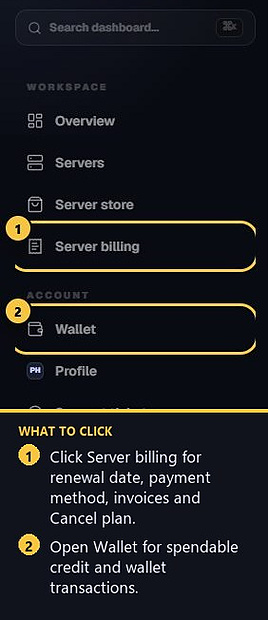
In the left sidebar, click Server billing. Each active subscription shows its renewal amount, renewal date and current renewal method. Paid orders also have a PDF invoice under Billing → Invoices.
2. Change renewal method
On Server billing, choose an available renewal method for the server. Only one recurring method should be active at a time. If a renewal payment fails, the subscription will show that a new payment method is needed.
3. Go to the matching server
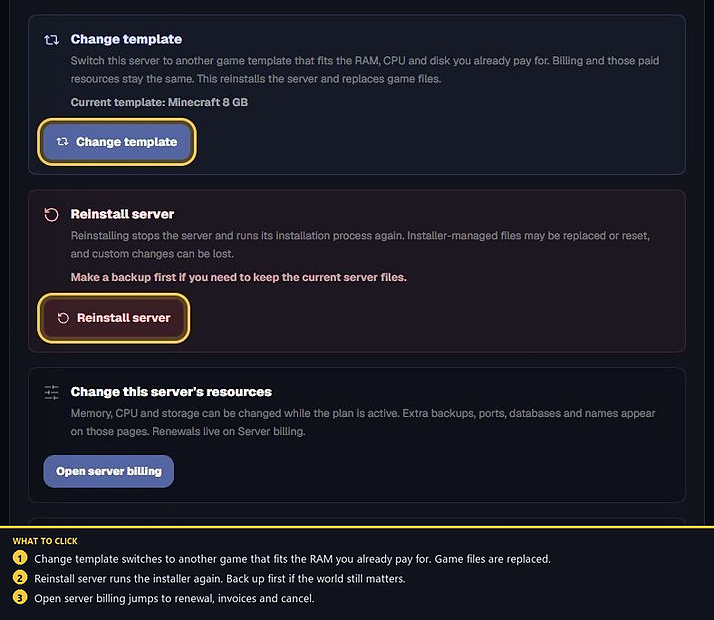
Active subscriptions include a Go to server button. You can also jump to billing from Settings → Danger zone with Open server billing.
4. Cancel plan
On Server billing, choose Cancel plan on the server. Billing stops and the server stays active until the paid date, then it is removed. Closed records are under Server billing → History.
5. Wallet
Open Wallet in the sidebar to see the balance and Wallet transactions. Wallet credit can be used for eligible purchases and optional wallet-based renewals where that option is enabled.
- 1Open Server billing
Check renewal date and method.
- 2Cancel or keep the plan
Cancel stops future charges. The server stays up until the paid date.
Match the error, then ask if you still need help
Most console and join issues are already in the guides. Copy the ERRORS line first. Open a ticket only if the steps still fail.