This guide was made by AI
See who is online, then op, kick or whitelist
Open the Players tab to search the current list, then use the Overview console for op, kick and whitelist commands.

On this page
Numbered yellow markers in the pictures show what to click. The Players tab lists who is on a running Minecraft server. Kick, op and whitelist still happen as console commands from Overview.
1. Open your server
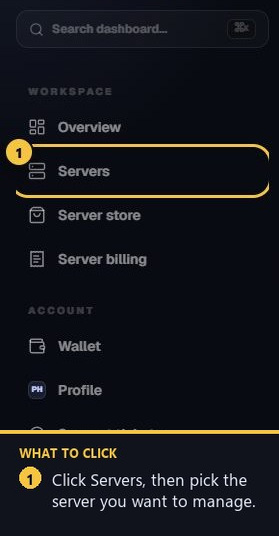
Sign in, open Servers in the left sidebar, and select the Minecraft server. The Players tab only appears on Minecraft services.
2. Open the Players tab
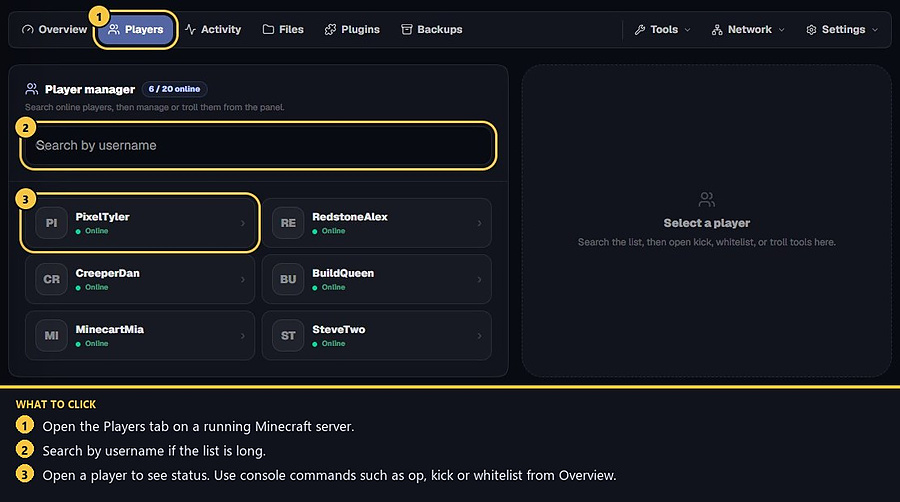
In the tab bar, click Players. The header shows how many people are online out of the player cap. If the server is stopped, the list is empty until you start it.
3. Search and open a player
Type in Search by username if the list is long. Open a row to see that player on the right. Overview also has a compact See who is online strip with the same names.
4. Op, kick or whitelist from the console
Go back to Overview. In the console box, send the command without a slash unless the software asks for one, then watch the next line.
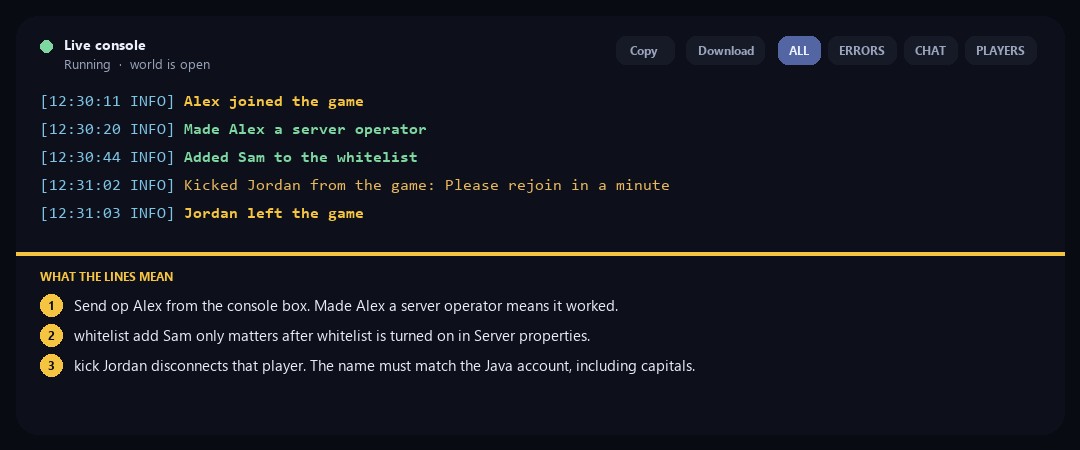
op Alex should answer Made Alex a server operator. whitelist add Sam should answer Added Sam to the whitelist. kick Jordan disconnects them and the log says they left. Names must match the Java account, including capitals. Whitelist commands do nothing useful until whitelist is on in Server properties.
Helper and Manager can send console commands. Viewer cannot. If the command box says your role cannot send commands, ask the owner to change the role under Settings → Users.
5. If nobody can join
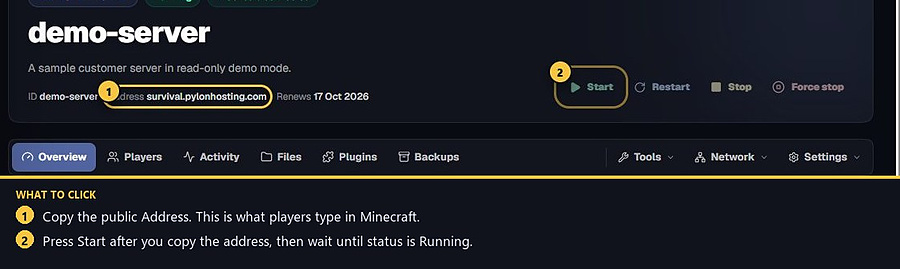
Confirm status is Running, copy the public Address, and check that whitelist is not blocking them. Turn whitelist on or off from Settings → Server properties, then restart if the game needs a restart.
- 1Open Players
Search the list on a running Minecraft server.
- 2Open Overview
Send op, kick or whitelist from the console.
- 3Check join settings
Running status, join address, then whitelist if needed.
Match the error, then ask if you still need help
Most console and join issues are already in the guides. Copy the ERRORS line first. Open a ticket only if the steps still fail.