This guide was made by AI
Edit Minecraft server properties
Settings → Server properties changes whitelist, render distance and other gameplay settings without editing the file by hand.

On this page
Use the Server properties page for common gameplay and performance settings. Connection ports, bind addresses and remote administration are intentionally not on this page. Numbered yellow markers show what to change.
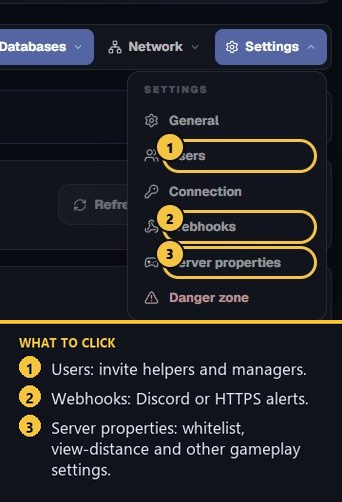
1. Open Settings → Server properties
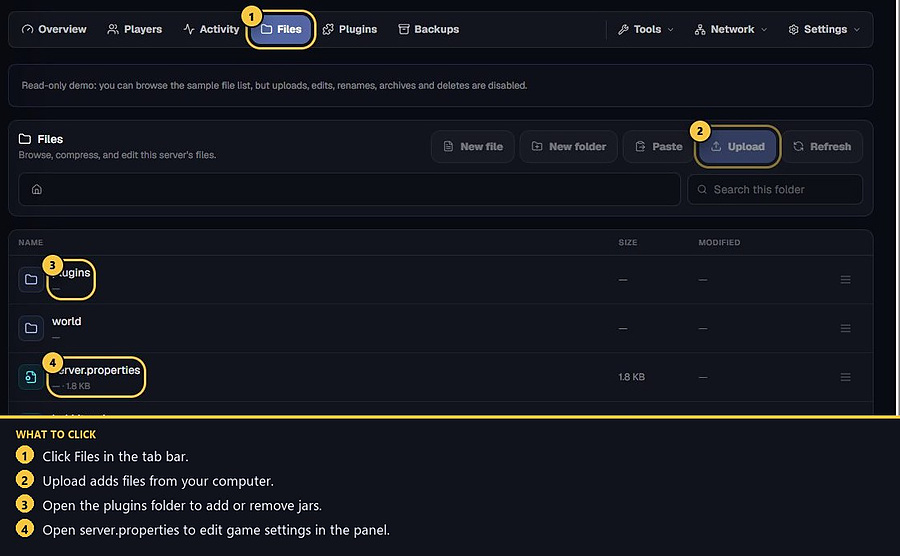
On a Minecraft server, click Settings, then Server properties. You can still open server.properties in Files if you need a key this page does not show.
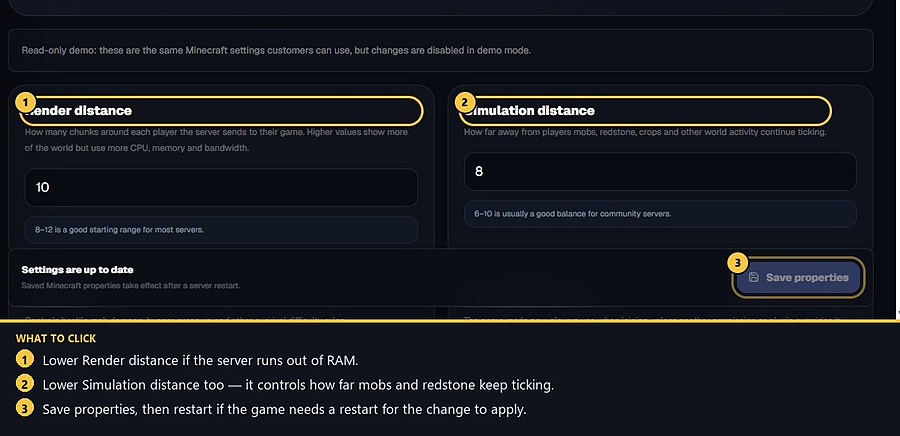
2. Lower render and simulation distance if RAM is tight
Render distance (view-distance) is how many chunks each player receives. Higher values use more CPU, memory and bandwidth. 8–12 is a good starting range.
Simulation distance is how far mobs, redstone and crops keep ticking. 6–10 is usually enough for a community server. If the console shows an out-of-memory crash, lower both, remove heavy plugins, or upgrade RAM.
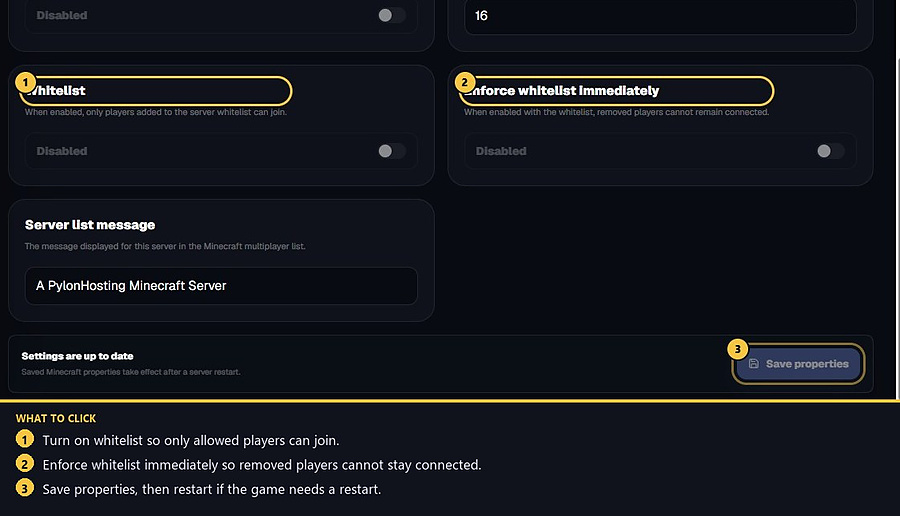
3. Turn on whitelist
Whitelist means only players you add can join. After you enable it, add names from the Overview console with whitelist add PlayerName, or use the Players tab then the console. Enforce whitelist immediately kicks people you remove so they cannot stay connected.
Difficulty, default game mode, PvP, hardcore, allow-flight, spawn protection and the server list message (MOTD) are on the same page.
4. Save, then restart
Press Save properties. Saved Minecraft properties take effect after a server restart. The server port and bind address are set from your assigned allocation on every start, so changing them in the raw file cannot take the server offline.
- 1Open Server properties
Settings → Server properties.
- 2Change distance or whitelist
Lower distance if you run out of RAM. Enable whitelist for a private server.
- 3Save and restart
Changes apply after the next restart.
Match the error, then ask if you still need help
Most console and join issues are already in the guides. Copy the ERRORS line first. Open a ticket only if the steps still fail.