This guide was made by AI
Discord webhook alerts
Paste a Discord or HTTPS webhook under Settings → Webhooks, pick events, save, then send a test.

Get a ping when the server starts, stops or a backup finishes. Deliveries run in the background so they cannot slow a start, stop or backup.
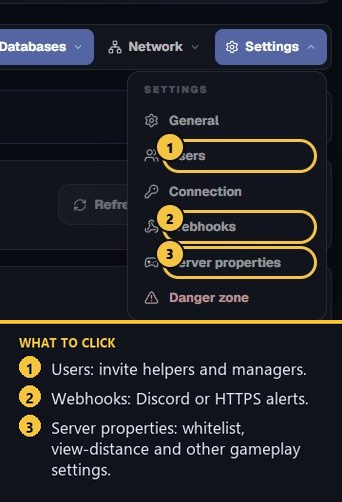
1. Open Settings → Webhooks
On the server page, click Settings, then Webhooks.
2. Paste an HTTPS URL
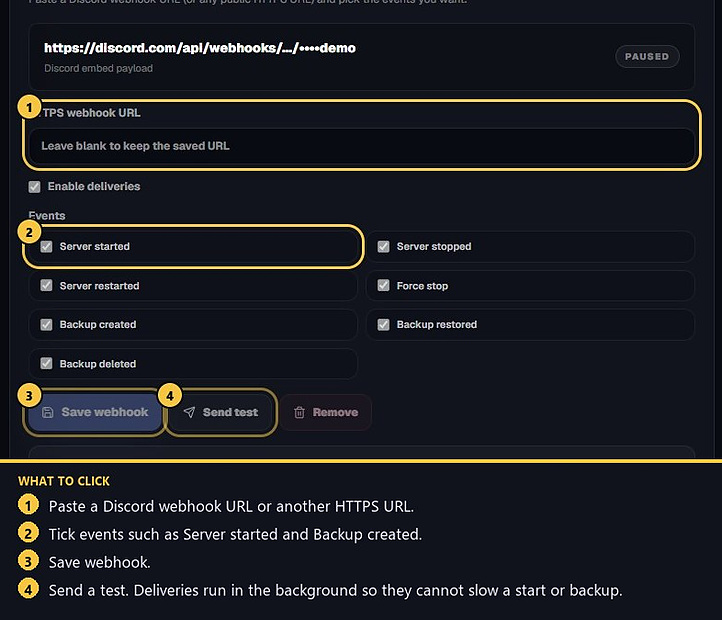
In Discord, edit a channel → Integrations → Webhooks → New webhook, then copy the URL. Paste it into HTTPS webhook URL. Any public HTTPS URL also works. The URL must use https, must not include a username, password or # fragment, and cannot point at a private address.
Leave the field blank later if you only want to change events and keep the saved URL.
3. Pick events and save
Tick the events you want: Server started, Server stopped, Server restarted, Force stop, Backup created, Backup restored and Backup deleted. Keep Enable deliveries on unless you need to pause alerts. Press Save webhook.
4. Send a test
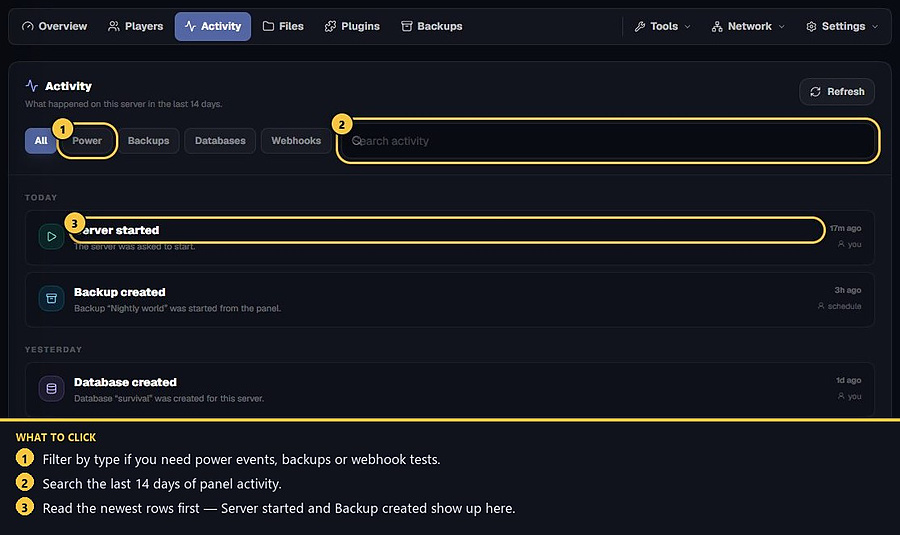
Press Send test. Discord channels that accept embeds show a PylonHosting payload. Custom HTTPS receivers get JSON. Check Activity for webhook tests from the last 14 days if a delivery looks missing.
Discord URLs already include their own credential. Custom HTTPS receivers can verify X-Pylon-Signature with the signing secret shown after you save. Use Rotate secret if that secret may have leaked. Use Remove to delete the webhook.
- 1Open Webhooks
Settings → Webhooks on the server.
- 2Paste the URL
Discord webhook or another public HTTPS URL.
- 3Save and test
Pick events, save, then send a test.
Match the error, then ask if you still need help
Most console and join issues are already in the guides. Copy the ERRORS line first. Open a ticket only if the steps still fail.